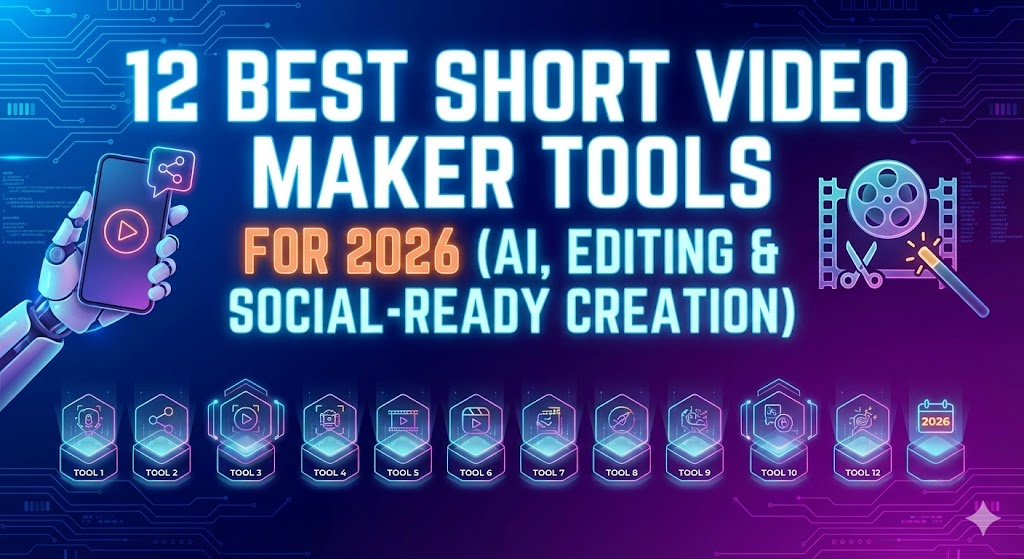
Creating short-form videos for TikTok and Instagram Reels has exploded in popularity, and by March 2026, AI tools have made it dramatically easier and faster. Whether you’re a solo creator, influencer, marketer, or business owner aiming for viral content without spending hours filming and editing, AI handles script-to-video generation, repurposing long clips, auto-captions, voiceovers, trending effects, and more.
These tools leverage advanced models like text-to-video (e.g., Sora 2, Veo 3), realistic avatars, beat-sync editing, and viral clip extraction. Many now produce vertical 9:16 formats optimized for mobile feeds, with built-in trends, music libraries, and hashtag suggestions.
Here are the top AI tools for making TikTok and Instagram Reels in 2026, based on recent reviews, creator feedback, and testing from sources like Zapier, PCMag, Buffer, and specialized blogs.
1. InVideo AI
One of the strongest all-in-one platforms for prompt-based short-form creation. Input a script, idea, or topic (e.g., “10-second skincare tip Reel with upbeat music”), and it generates full videos with stock footage, transitions, text overlays, voiceovers, and music—perfectly formatted for Reels/TikTok.
Best for: Beginners to pros wanting fast, polished social videos from text prompts. Key features: Auto-edits to beats, trend templates, subtitles, multi-language support. Pros: High customization, removes watermarks on paid plans, great for marketing/educational content. Cons: Rendering can take time on free tier. Pricing: Free (watermarked/limited); Plus ~$35/month.
2. CapCut (with AI features / CapCut Pro)
ByteDance’s editor remains a favorite for TikTok/Reels due to seamless integration, but its 2026 AI upgrades (auto-captions, effects, voice cloning, background removal) make it even more powerful. Many creators use it as the final polish step after generating clips elsewhere.
Best for: Hands-on editing with AI assistance; native to TikTok ecosystem. Key features: One-click AI effects, beat matching, auto-zoom, trending templates. Pros: Free core features, mobile-first, exports directly to TikTok/Instagram. Cons: Some premium assets locked behind Pro. Pricing: Free; Pro $10–20/month.
3. Opus Clip
Specializes in turning long videos (podcasts, YouTube, webinars) into multiple viral short clips. AI identifies hook moments, adds captions, zooms, and emojis—ideal for repurposing content into Reels/TikTok batches.
Best for: Creators with existing long-form who want weekly short-form output. Key features: Viral score prediction, auto-reframing, multi-clip generation. Pros: Saves massive time, high engagement potential. Cons: Less ideal for fully from-scratch generation. Pricing: Free plan; paid from ~$15/month.
4. OpenAI Sora (via ChatGPT / Sora 2)
OpenAI’s Sora 2 leads in realistic, high-quality text-to-video, especially for creative/meme-style shorts. Great for “brain rot” trends, storytelling, or concept testing in short bursts.
Best for: Cinematic or highly creative Reels/TikToks with natural motion. Key features: Prompt control, physics-aware, integrated in ChatGPT for easy iteration. Pros: Top realism and control in 2026 rankings. Cons: Credit-based limits, may need refinement. Pricing: Via ChatGPT Plus (~$20/month).
5. Google Veo 3 (via Gemini)
Google’s Veo 3 excels in cinematic shots, storytelling, and physics-realistic motion—perfect for polished, professional-looking shorts.
Best for: Narrative-driven or high-production-value Reels. Key features: Granular prompt editing, audio integration, high fidelity. Pros: Often ranked alongside Sora for quality. Cons: Access via Gemini subscription. Pricing: Included in Gemini Advanced plans.
6. Pika Labs or Runway (Gen-4/Gen-4.5)
Creative powerhouses for stylized, artistic, or experimental shorts. Pika shines in fun/social media aesthetics; Runway offers advanced control for pros.
Best for: Trendy, visually striking content (animations, effects-heavy). Key features: Image-to-video, lip-sync, extensions. Pros: Fast generations, community prompts. Cons: Learning curve for best results. Pricing: Pika ~$10/month; Runway ~$15/month.
7. HeyGen or AI Studios (DeepBrain AI)
Avatar-based tools for talking-head or explainer Reels without showing your face. Generate realistic avatars that lip-sync scripts.
Best for: Faceless channels, tutorials, product promos. Key features: Multi-language avatars, custom voices. Pros: Professional look quickly. Cons: Can feel less “organic” for casual trends. Pricing: Starts ~$29/month; some free trials.
Quick Comparison Table
| Tool | Best For | Key Strength | Free Tier? | Starting Paid Price | Vertical Format Native? |
|---|---|---|---|---|---|
| InVideo AI | Prompt-to-Reel | Speed & templates | Yes (limited) | ~$35/mo | Yes |
| CapCut | Editing + AI polish | Mobile ease, TikTok integration | Yes | $10–20/mo | Yes |
| Opus Clip | Repurposing long videos | Viral clip extraction | Yes | ~$15/mo | Yes |
| Sora 2 | Realistic creative shorts | Quality & realism | No | ~$20/mo (ChatGPT) | Yes |
| Veo 3 | Cinematic storytelling | Motion & physics | No | Gemini Advanced | Yes |
| Pika / Runway | Stylized & experimental | Artistic control | Limited | ~$10–15/mo | Yes |
| HeyGen / AI Studios | Avatar/faceless content | Professional talking heads | Trial | ~$29/mo | Yes |
Final Tips for 2026
- Start with free tiers of CapCut + InVideo or Opus Clip for most users—they cover 80% of needs.
- Combine tools: Generate base clips with Sora/Veo, edit in CapCut, repurpose with Opus.
- Always check platform guidelines—AI content labeling is increasingly required on TikTok/Instagram.
- Focus on hooks in the first 3 seconds; AI excels at beat-sync but test virality manually.
- Stay updated: Models like Sora 2 and Veo 3 evolve monthly—many integrate into apps like ChatGPT/Gemini.
With these AI makers, producing daily or weekly Reels/TikToks is more accessible than ever. Pick one or two that fit your style, experiment, and watch your feed grow. Happy creating!