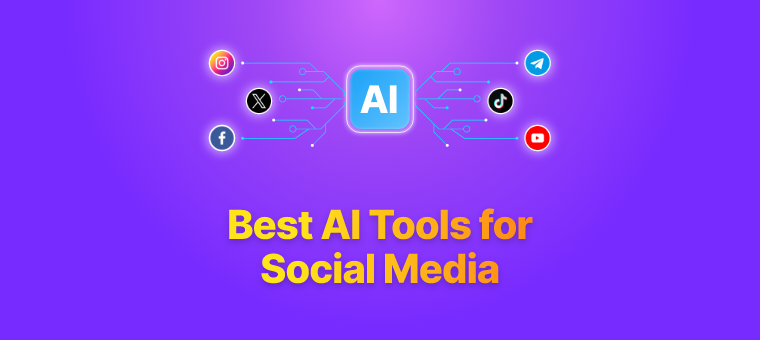
Creating eye-catching posters for social media (Instagram, Facebook, TikTok, LinkedIn) and ads (Google Display, Facebook Ads, event promos) no longer requires advanced design skills or expensive software. In March 2026, free AI poster makers let you input a text prompt—like “vibrant summer sale poster for fashion brand with bold text and tropical vibes”—and generate professional layouts, images, typography, and compositions in seconds.
These tools combine AI image generation, smart templates, and easy editing, making them ideal for freelancers, small businesses, marketers, content creators, and anyone running quick campaigns. Most offer generous free tiers with credits, watermarks (on some), or limited generations, but they’re powerful enough for everyday use.
Here are some of the best free AI poster maker tools right now, based on recent reviews, features, and real-world performance for social media and advertising.
1. Canva AI Poster Generator (Magic Media / Magic Studio)
Canva remains the gold standard for accessible design. Its AI poster generator (part of Magic Studio) turns prompts into ready-to-customize posters with stunning visuals, legible text, and brand-consistent options.
Best for: Beginners, social media pros, and anyone needing fast, polished results with massive template libraries. Key features: Text-to-poster generation, Magic Write for copy, auto-resize for platforms (e.g., Instagram square, Stories), brand kits, collaboration. Free tier: Limited daily/credit-based generations; no watermark on most exports; Pro unlocks unlimited. Pros: Intuitive drag-and-drop editor, huge stock library, excellent text handling. Cons: Advanced AI features may hit credit limits quickly. Website: canva.com/ai-poster-generator
2. Adobe Express AI Poster Generator
Adobe’s free tool uses Firefly AI to generate poster templates from prompts, with strong emphasis on professional quality and clean outputs.
Best for: Users wanting Adobe-level polish for ads or branded content without a full Creative Cloud subscription. Key features: Prompt-based template generation, photo editing effects, thousands of templates/stock images, quick export for social/ad formats. Free tier: Fully functional free plan; includes core AI tools and no heavy restrictions for basic use. Pros: High-quality results, integrates with Adobe Stock, great for marketing visuals. Cons: Slightly steeper learning curve than Canva for total newbies. Website: adobe.com/express/create/ai/poster
3. Piktochart AI Poster Maker
Piktochart focuses on infographic-style and data-driven posters but excels at AI-generated designs from simple prompts.
Best for: Educational, event, or informational posters that need charts/icons alongside visuals; good for LinkedIn/professional ads. Key features: Prompt-to-poster with relevant text suggestions, customizable templates, export options. Free tier: 60 AI credits/month on signup; full editor access for basics. Pros: Clean, modern outputs; strong for text-heavy designs. Cons: Less focused on ultra-vibrant ad-style graphics. Website: piktochart.com/ai-poster
4. PosterMyWall AI-Powered Tools
PosterMyWall offers AI features like image generation, text effects, and background removal in a massive flyer/poster ecosystem.
Best for: Event promotions, social ads, and collaborative teams needing quick variations. Key features: AI image/text tools, thousands of templates, animation options, bulk creation. Free tier: Generous free plan with downloads (some limits); premium assets extra. Pros: Beginner-friendly, great for print/digital hybrids. Cons: Interface feels busier than minimalist tools. Website: postermywall.com
5. Venngage AI Poster Generator
Venngage specializes in professional visuals with AI that generates full posters from descriptions.
Best for: Business reports, infographic posters, or ads needing data integration. Key features: Text-prompt designs, collaboration, brand consistency tools. Free tier: Solid free access for generation and basic exports. Pros: User-friendly with strong collaboration. Cons: More infographic-oriented than pure flashy ads. Website: venngage.com/ai-tools/poster-generator
6. VEED.IO AI Poster Generator
VEED combines AI image generation with video/poster animation for dynamic social content.
Best for: Animated digital posters or video ads on social media. Key features: Text-to-image posters, animation, promo visuals. Free tier: Basic generations available. Pros: Unique for moving posters/stories. Cons: More video-focused, so static posters are secondary. Website: veed.io/tools/ai-image-generator/ai-poster-generator
Quick Tips for Using Free AI Poster Makers
- Start with detailed prompts: Include style (minimalist, bold, retro), colors, text placement, and platform (e.g., “Instagram square ad”).
- Edit after generation: AI gets layouts right ~80% of the time—tweak fonts, spacing, or add your logo for perfection.
- Check credits/watermarks: Free tiers refresh daily/monthly; upgrade only if you hit limits often.
- Export right sizes: Use built-in resizers for Instagram (1080×1080), Facebook (1200×628), etc.
- Combine tools: Generate base in one (e.g., Canva), refine in another (e.g., Adobe Express) for best results.
These free AI tools democratize high-quality poster creation in 2026—no design degree needed. Start with Canva or Adobe Express for most social media and ad needs—they deliver the fastest path from idea to eye-catching visual. Experiment today and watch your engagement (and clicks) rise!