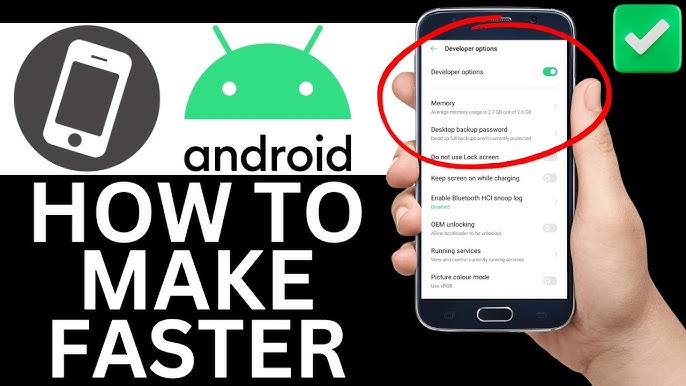
In today’s digital world, slow devices are more than just annoying — they waste time, reduce productivity, and test our patience daily. Whether you’re using a smartphone, laptop, or desktop computer, performance issues often don’t appear overnight. Instead, they creep in slowly due to everyday habits most people don’t even realize are harmful.
The truth is, you don’t always need a new device. In many cases, performance drops happen because of common tech mistakes that slow down your devices. The good news? Most of these mistakes are easy to fix once you know what they are.
In this guide, TechLeez breaks down the most common errors users make and shows you practical, beginner-friendly solutions to speed things back up.
1. Installing Too Many Apps and Programs
One of the biggest reasons devices slow down is app overload. We install apps for one-time use, forget about them, and they continue running in the background.
Why this is a problem
- Apps consume RAM and storage
- Many run background processes
- Some auto-start when the device boots
Over time, this creates unnecessary load on your system.
How to fix it
- Uninstall apps you haven’t used in the last 2–3 months
- Disable auto-start apps from system settings
- Use lightweight alternatives when possible
Keeping only essential apps can instantly improve speed.
2. Ignoring Software Updates
Skipping updates may feel harmless, but it’s one of the most overlooked common tech mistakes that slow down your devices.
Why updates matter
- Fix performance bugs
- Improve system stability
- Optimize battery and memory usage
- Patch security vulnerabilities
Old software often runs inefficiently compared to updated versions.
What you should do
- Enable automatic updates
- Regularly check for OS and app updates
- Restart your device after major updates
Updates are not just about new features — they’re about performance.
3. Too Many Browser Tabs and Extensions
Modern browsers are powerful, but they can also be resource hogs.
Common mistakes
- Keeping 20–30 tabs open
- Installing unnecessary extensions
- Using heavy ad-filled websites
Each tab and extension consumes memory, even when idle.
Speed-friendly habits
- Close tabs you’re not actively using
- Remove extensions you don’t need
- Use built-in browser task managers
Switching to tab grouping or bookmarking can also help.
4. Not Restarting Your Device Regularly
Many users keep their devices running for weeks without a restart.
Why restarting helps
- Clears temporary memory (RAM)
- Stops stuck background processes
- Improves system responsiveness
This applies to phones, laptops, and even smart TVs.
Best practice
- Restart phones at least once a week
- Restart computers every few days
- Restart after heavy usage or updates
A simple restart can feel like a mini performance boost.
5. Low Storage Space
Running out of storage is one of the fastest ways to slow down any device.
What happens when storage is full
- Apps load slower
- Updates fail or lag
- System caching becomes inefficient
Most operating systems need free space to function properly.
How to free up space
- Delete unused apps and files
- Clear cache and temporary data
- Move photos and videos to cloud storage
Try to keep at least 15–20% free storage at all times.
6. Using Outdated or Low-Quality Hardware Accessories
Cheap chargers, slow USB cables, or old storage drives can negatively affect performance.
Common issues
- Slow data transfer speeds
- Inconsistent power delivery
- Overheating problems
These issues don’t always look like “slow devices” but cause lag indirectly.
Smart solutions
- Use original or certified accessories
- Replace old hard drives with SSDs
- Avoid damaged or loose cables
Quality accessories protect performance and device health.
7. Background Apps Running All the Time
Many apps continue working even when you’re not using them.
Examples
- Social media syncing
- Cloud backup services
- Location-based apps
This constant activity drains memory and CPU power.
What to do
- Restrict background app usage
- Disable background data for non-essential apps
- Review app permissions regularly
You’ll notice better speed and battery life.
8. Not Protecting Your Device from Malware
Malware and unwanted software are silent performance killers.
Signs of malware-related slowdown
- Random pop-ups
- Sudden overheating
- High data usage
- Apps opening on their own
These threats often enter through unsafe downloads or fake apps.
How to stay safe
- Install trusted antivirus software
- Avoid unknown websites and downloads
- Keep your system updated
Security and speed go hand in hand.
9. Overheating Due to Poor Ventilation
Heat is a natural enemy of performance.
Why overheating slows devices
- CPU throttles to reduce heat
- Fans run harder, consuming power
- Internal components degrade faster
This is common in laptops and gaming devices.
Prevention tips
- Use devices on flat, hard surfaces
- Clean dust from vents regularly
- Avoid using laptops on beds or sofas
Cool devices run faster and last longer.
10. Ignoring System Cleanup and Maintenance
Many users never clean their systems after initial setup.
Common clutter
- Temporary files
- Old downloads
- System logs
- Cache data
Over time, this digital junk piles up.
Maintenance checklist
- Run built-in cleanup tools
- Clear browser cache monthly
- Use trusted system cleaners (carefully)
Regular maintenance keeps things smooth.
11. Using Power Saver Mode All the Time
Power saver modes reduce performance to save battery.
When this becomes a problem
- CPU speed is limited
- Background tasks are restricted
- App performance drops
While useful, constant use can make devices feel slow.
Better approach
- Use balanced mode for daily tasks
- Switch to power saver only when needed
- Plug in when doing heavy work
Balance performance with battery wisely.
12. Expecting Old Devices to Run New Software Perfectly
Technology moves fast, but hardware has limits.
Reality check
- New apps demand more resources
- New OS versions are heavier
- Old hardware struggles to keep up
This isn’t always your fault.
Practical solutions
- Use lightweight app versions
- Disable visual effects
- Consider hardware upgrades (RAM, SSD)
Sometimes small upgrades make a big difference.
Final Thoughts
Slow devices don’t always mean broken devices. In most cases, performance issues come from everyday habits and overlooked settings. By avoiding these common tech mistakes that slow down your devices, you can extend your device’s lifespan, improve speed, and enjoy a smoother digital experience.
At TechLeez, we believe smart tech usage is just as important as smart tech buying. A few small changes today can save you time, money, and frustration tomorrow.
If you found this guide helpful, explore more practical tech tips, device optimization guides, and beginner-friendly tutorials right here on TechLeez.com.