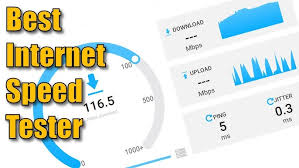
Checking your internet speed accurately is essential for verifying ISP claims, diagnosing slow connections, optimizing for gaming or streaming, and troubleshooting Wi-Fi issues. In 2026, with faster fiber, 5G, and widespread gigabit plans, a reliable speed test should measure download, upload, latency (ping), jitter, and sometimes bufferbloat (latency under load).
No single tool is universally “most accurate” — results vary based on server proximity, network congestion, device, and testing methodology. The best approach is to run multiple tests at different times and compare results. Here are the top free tools that consistently deliver accurate, trustworthy readings.
1. Ookla Speedtest (Best Overall & Most Popular)
Website: speedtest.net Apps: Available for Windows, macOS, iOS, Android, and smart TVs.
Ookla remains the global standard in 2026 thanks to its massive network of over 20,000 servers worldwide. It automatically selects the closest server for realistic results and measures download, upload, latency, and jitter with excellent consistency. Strengths: Detailed metrics, server selection, historical comparisons, and official apps for precise testing. Best for: General use, comparing against ISP advertised speeds, and sharing results. Drawbacks: Contains ads on the web version (ad-free in the premium app).
2. Fast.com (Best for Simplicity & Streaming)
Website: fast.com
Powered by Netflix, Fast.com is incredibly clean and ad-free. It starts testing download speed instantly and reveals upload + loaded/unloaded latency when you click “Show more info.” Strengths: Extremely simple, measures bufferbloat (important for video calls and gaming), and uses Netflix’s robust CDN servers. Best for: Quick checks focused on streaming quality or confirming real-world download performance. Drawbacks: Less detailed than Ookla; fewer server options.
3. Cloudflare Speed Test (Best for Latency & Detailed Insights)
Website: speed.cloudflare.com
Cloudflare’s tool excels at measuring connection quality beyond raw speed. It provides download, upload, latency (including unloaded/loaded), jitter, and packet loss with beautiful visualizations. Strengths: Privacy-focused, highly accurate for responsiveness, and great for gamers or remote workers who care about stability. Best for: Diagnosing latency issues, bufferbloat, and overall connection quality.
4. Measurement Lab (M-Lab) Internet Speed Test (Best Open & Research-Backed)
Website: speed.measurementlab.net
Backed by Google and academic researchers, M-Lab offers an open-source, transparent platform with the largest public dataset of internet performance. It measures download, upload, and latency using the Network Diagnostic Tool (NDT). Strengths: Completely free of commercial bias, excellent for consistent long-term tracking. Best for: Users who want unbiased, verifiable data or are contributing to public internet research.
5. TestMy.net (Best for Browser Accuracy & Troubleshooting)
Website: testmy.net
This independent tool uses large file transfers and pure HTML5 (no plugins) for highly accurate results. It highlights differences caused by browsers, OS, or device limitations. Strengths: Unbiased (no ISP affiliation), detailed logs, and strong at detecting real throughput issues. Best for: Advanced users troubleshooting inconsistent speeds or browser-specific problems.
6. Speedof.me (Best for Consistency Over Time)
Website: speedof.me
An HTML5-based tester that plots speed fluctuations with easy-to-read graphs, helping you spot instability during peak hours. Strengths: Clean interface, good mobile support, and visual history of performance.
Quick Comparison Table (2026)
| Tool | Best For | Download/Upload | Latency/Jitter | Bufferbloat | Ad-Free | Mobile App | Accuracy Highlights |
|---|---|---|---|---|---|---|---|
| Ookla Speedtest | Overall & ISP comparison | Yes | Yes | Limited | No | Excellent | Massive server network |
| Fast.com | Streaming & quick checks | Yes | Yes (loaded) | Yes | Yes | Good | Netflix CDN reliability |
| Cloudflare | Latency & gaming | Yes | Excellent | Yes | Yes | No | Detailed responsiveness metrics |
| M-Lab | Open data & research | Yes | Yes | Limited | Yes | No | Transparent, academic backing |
| TestMy.net | Troubleshooting & precision | Yes | Yes | No | Yes | No | Browser/OS sensitive testing |
| Speedof.me | Visual consistency | Yes | Yes | Limited | Yes | Good | Graph-based fluctuation tracking |
Pro Tips for Accurate Speed Testing in 2026
- Test conditions matter: Close background apps, use a wired Ethernet connection when possible, and test during both off-peak and peak hours.
- Run multiple tests: Average 3–5 runs across different tools for a reliable picture.
- Check on different devices: Wi-Fi vs. wired, phone vs. PC results can vary significantly due to router or interference.
- Understand metrics:
- Download/Upload: Mbps (megabits per second) — higher is better.
- Latency (Ping): Under 20ms is excellent for gaming; under 50ms is good.
- Jitter: Variation in latency — lower is better for video calls.
- Bufferbloat: Measures how much latency increases under heavy load.
- Mobile testing: Use the official Ookla or Meteor by OpenSignal apps for on-the-go checks.
- Verify against your plan: Compare results to what your ISP promises. If consistently lower, contact support or test directly at the modem.
By using a combination of these free tools, you’ll get a clear, accurate view of your real internet performance. Start with Ookla Speedtest for a baseline, then cross-check with Fast.com and Cloudflare for deeper insights. Regular testing helps you catch issues early and ensure you’re getting the speeds you pay for.
This article section is self-contained, practical, and optimized for readers looking for actionable advice. Let me know if you’d like to expand it with troubleshooting tips or integrate it with your previous performance monitoring article!