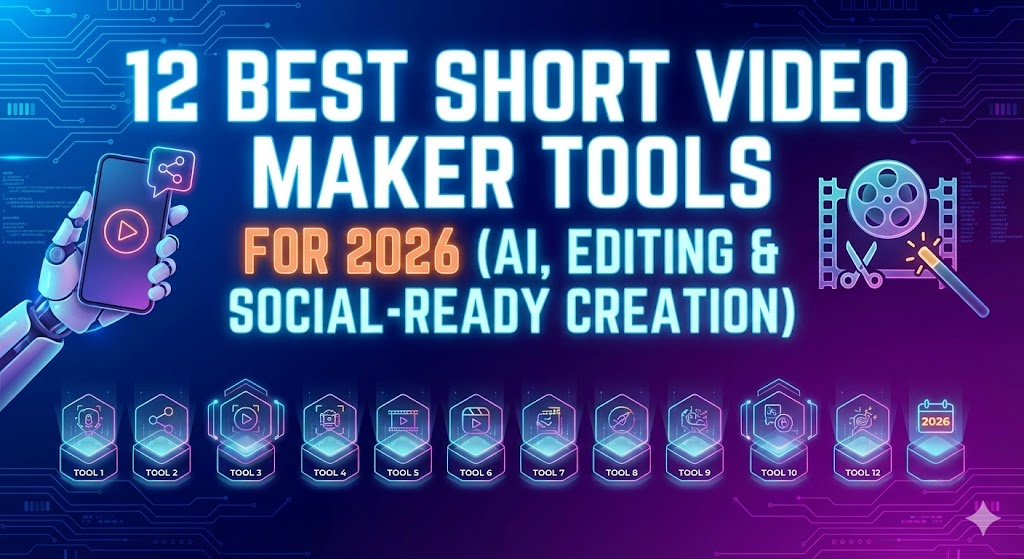
In 2026, AI has revolutionized video editing for YouTube creators and social media marketers. Tools now handle tedious tasks like auto-cutting highlights from long videos, generating viral shorts, adding dynamic captions, removing filler words/silence, enhancing audio, fixing eye contact, generating B-roll, and even basic text-to-video or effects — all while saving hours per week.
Whether you’re a solo YouTuber repurposing hour-long videos into Reels/TikToks/Shorts, a podcaster turning episodes into clips, or a marketer cranking out branded content, these tools dominate. As of March 2026, the landscape favors fast, cloud-based editors optimized for short-form virality alongside more advanced suites for polish.
Here are the best AI video editing tools right now, focused on YouTube and social media workflows, based on recent tests, creator reviews, and expert roundups.
1. Opus Clip
The king of turning long-form content (YouTube videos, podcasts) into multiple viral shorts automatically. It uses AI to detect engaging moments, add captions, score clips for virality, generate B-roll, and suggest hooks.
Best for: YouTubers and podcasters repurposing long videos for TikTok, Reels, Shorts. Key features: Auto-clipping, virality scoring, animated captions, eye contact correction, audio cleanup. Pros: Insanely fast repurposing (one long video → 10+ shorts), high-quality outputs. Cons: Less control for full manual edits. Pricing: Free tier limited; Pro around $19–$49/month.
2. VEED.IO
A browser-based all-rounder praised in massive 2026 tool tests for professional results on social content. It excels at quick edits, subtitles, and enhancements.
Best for: Content creators wanting fast, polished social videos without downloading software. Key features: AI subtitles, magic cut (removes silences), background removal, text-to-speech, B-roll generator. Pros: Intuitive, great for teams, strong export options. Cons: Watermark on free plan. Pricing: Free with watermark; paid starts ~$24/month.
3. Descript
Edit video by editing text — transcribe, delete words, and the clip vanishes. In 2026, its Underlord AI and Overdub features shine for talking-head/YouTube-style content.
Best for: Podcast-style YouTube videos, interviews, explainers. Key features: Text-based editing, filler word removal, AI voice cloning (Overdub), screen recording. Pros: Game-changer for dialogue-heavy videos, seamless audio fixes. Cons: Less ideal for heavy visual effects. Pricing: Free limited; Creator ~$12–$24/month.
4. CapCut (with AI features)
ByteDance’s free powerhouse remains unbeatable for short-form social media in 2026, with deep AI integration.
Best for: TikTok/Reels/Shorts creators, mobile-first editing. Key features: Auto-captions (98%+ accuracy), smart scene detection, AI color correction, background removal, effects. Pros: Completely free core features, mobile + desktop, templates galore. Cons: Can feel overwhelming with options. Pricing: Free; Pro ~$9.99/month for extras.
5. Submagic
Specializes in making clips pop with stylized, animated captions and quick polish — a favorite for viral social media.
Best for: Adding flair to talking-head or commentary videos. Key features: Auto-generated trendy captions, emojis, zoom effects, sound effects. Pros: Stunning caption styles, fast single-clip enhancement. Cons: Narrower scope (best as a companion tool). Pricing: Subscription-based, often ~$20–$50/month.
6. Pictory or InVideo AI
Script/article-to-video powerhouses that generate full videos with stock footage, voiceovers, and edits.
Best for: YouTubers creating faceless/content from blogs or turning long videos into narrated shorts. Key features: Text-to-video, auto-highlights, voiceovers. Pros: Great for beginners or high-volume output. Cons: Less flexible for custom footage. Pricing: Starts ~$19–$35/month.
Honorable Mentions
- Runway ML — For advanced creative effects, text-to-video, or VFX in YouTube intros/outros (more generative than pure editing).
- CyberLink PowerDirector 365 — Traditional editor with strong built-in AI tools for polishing longer YouTube videos.
- Adobe Premiere Pro — Pro-level with growing AI (e.g., auto-reframe, scene edit detection), but steeper learning curve.
Quick Comparison Table
| Tool | Best For | Key Strength | Pricing (approx.) | Free Tier? |
|---|---|---|---|---|
| Opus Clip | Repurposing long → shorts | Viral clip auto-generation | $19–$49/mo | Limited |
| VEED.IO | Fast social polish | Browser-based ease | $24+/mo | Yes (watermark) |
| Descript | Text-based talking-head | Edit via transcript | $12–$24/mo | Limited |
| CapCut | Short-form social | Free AI features | Free / $10/mo Pro | Yes |
| Submagic | Caption flair | Trendy animated subs | $20–$50/mo | Trial |
| Pictory | Script-to-video | Quick full video creation | $19+/mo | Limited |
Final Tips for 2026
- Start free — Test CapCut or VEED to see what clicks before paying.
- Combine tools — Many creators use Opus/Descript for clipping + CapCut/Submagic for polish + Runway for effects.
- Focus on virality — Prioritize tools with auto-captions and B-roll — captions alone boost retention massively on social.
- Check updates — AI evolves fast; features like better eye contact or dubbing improve monthly.
For most YouTube/social creators in March 2026, Opus Clip + CapCut is the killer combo for speed and quality without breaking the bank. Experiment, track what performs, and let AI handle the grunt work so you can focus on creating! 🚀