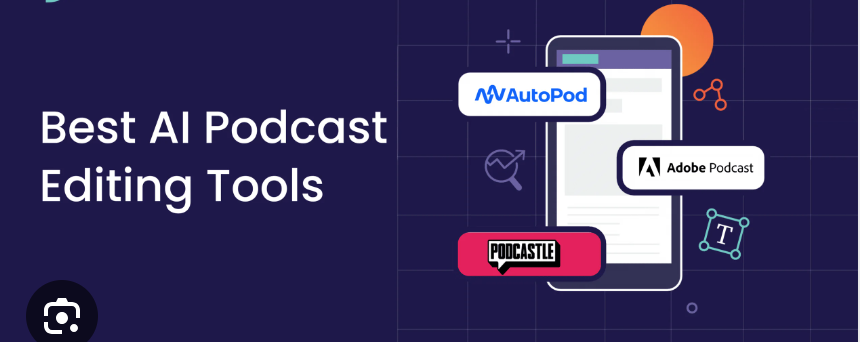
Podcast editing has been revolutionized by AI in 2026. What used to take hours of manual waveform scrubbing—removing filler words, balancing levels, denoising, cutting silences, and even generating clips—can now be handled in minutes with impressive quality. These tools save solo creators, small teams, and even professional studios massive time while delivering near-broadcast results.
Whether you’re a beginner who hates editing or a pro looking to automate the grunt work, here’s a rundown of the best AI-powered podcast editing tools dominating in March 2026. Rankings draw from current user adoption, feature maturity, audio quality, and workflow speed.
1. Descript — Best Overall for Text-Based Editing
Descript remains the gold standard for many podcasters. Upload your audio (or record inside it), and it transcribes with near-perfect accuracy. Edit the transcript like a Google Doc: delete “ums,” “uhs,” awkward pauses, or entire sections—the audio updates instantly. Overdub lets you fix misspoken words with your cloned voice, and Studio Sound cleans noise/echo remarkably well.
Key AI features:
- Auto-remove filler words
- Studio-quality enhancement
- Overdub voice cloning
- Multitrack support & video editing
- Generate show notes, titles, chapters
Pros: Intuitive, collaborative, great for video podcasts too. Cons: Subscription-based (starts around $12–30/month depending on plan). Best for: Anyone who wants to “edit by typing” and values speed + quality.
2. Adobe Podcast (Enhance Speech + Full Suite) — Best Audio Cleanup & Professional Polish
Adobe’s browser-based Enhance Speech tool (free tier available) is legendary for turning mediocre recordings into studio-grade audio. It removes background noise, reverb, and levels everything beautifully. In 2026, it’s integrated deeper into Adobe’s ecosystem (Premiere, Audition) for seamless pro workflows.
Key AI features:
- One-click “Enhance” for noise reduction & EQ
- Auto-leveling & dynamics processing
- Pairs excellently with multitrack in Audition
Pros: Exceptional sound quality, free basic version. Cons: Full power requires Creative Cloud subscription for advanced features. Best for: Podcasters who record in imperfect environments or want broadcast-level polish.
3. Podcastle — Best All-in-One Browser-Based Suite
Podcastle combines recording, AI editing, text-to-speech, and even AI voices in one clean interface. Its Magic Dust enhancement cleans audio automatically, while the editor auto-trims silences and filler words. Great for beginners and teams doing video podcasts.
Key AI features:
- Auto noise removal & enhancement
- Filler word removal
- AI voice cloning & text-to-speech overdubs
- Built-in clip generator
Pros: Very user-friendly, strong free tier. Cons: Slightly less precise transcription than Descript in complex multi-speaker scenarios. Best for: Solo creators or small teams wanting an easy, no-install solution.
4. Riverside.fm — Best for Recording + Built-in AI Editing
Riverside excels at high-quality remote recording (local 4K video + uncompressed audio tracks), but its AI editing suite has caught up fast. Magic Clips auto-generates short social-ready excerpts, and the editor includes smart cuts, noise reduction, and leveling.
Key AI features:
- Auto chapter markers & transcripts
- Magic Clips for repurposing
- Audio enhancement tools
Pros: Best-in-class recording quality, seamless transition to editing. Cons: Editing is strong but not as deep as dedicated editors like Descript. Best for: Video podcasters who record remotely and want quick repurposing.
5. Cleanvoice AI / Krisp / Auphonic — Best Specialized Cleanup Tools
For targeted fixes:
- Cleanvoice AI — Excels at removing fillers (“um,” “like,” “you know”), stutters, mouth sounds, and long pauses automatically.
- Krisp — Real-time noise cancellation during recording or post (great for calls/Zoom-style pods).
- Auphonic — Automatic leveling, loudness normalization, noise reduction; processes episodes to podcast-spec loudness standards.
Pros: Laser-focused, affordable or pay-per-use. Cons: Not full editors—best as companions to other tools. Best for: Supplementing your main editor for specific pain points.
Quick Comparison Table (March 2026)
| Tool | Best For | Core AI Strength | Pricing (approx.) | Free Tier? | Learning Curve |
|---|---|---|---|---|---|
| Descript | Text-based full editing | Transcript editing + Overdub | $12–30/mo | Limited | Low–Medium |
| Adobe Podcast | Audio enhancement | Studio-quality cleanup | Free basic / CC sub | Yes | Low |
| Podcastle | All-in-one browser suite | Easy enhancement + voice AI | Free–$40/mo | Yes | Very Low |
| Riverside.fm | Recording + clip generation | Magic Clips & enhancement | $19–39/mo | Limited | Low |
| Cleanvoice AI | Filler & silence removal | Specialized cleanup | Pay-per-hour | Trial | Very Low |
Bonus Rising Tools Worth Watching in 2026
- quso.ai — Strong for auto-clipping to social media (Reels, Shorts, TikTok) with captions.
- Alitu — “Podcast Maker” that handles recording through publishing with heavy AI assistance (great for beginners).
- Opus Clip / Choppity — If repurposing long episodes into viral shorts is your priority, these AI clip makers lead.
Quick Tips to Get Started
- Start simple: Upload a raw episode to Descript or Podcastle and let the AI remove fillers + enhance audio—you’ll be shocked at the difference.
- Layer tools: Record in Riverside → enhance in Adobe Podcast → fine-edit in Descript → clip with quso.ai or Opus Clip.
- Always do a final listen: AI is amazing but can occasionally mis-cut context-sensitive sections.
- Check privacy: Most tools process audio in the cloud—review terms if your content is sensitive.
AI won’t replace great hosting or storytelling, but in 2026 it handles 70–90% of the tedious editing work for most creators. Pick one tool that matches your biggest pain point (filler words? noise? time?), master it, and watch your output speed double.
Which part of podcast editing takes you the longest right now? That’ll point you to the perfect starting tool.