In 2026, AI note-taking tools have become essential productivity boosters, transforming chaotic meetings and dense study sessions into organized, actionable insights. These apps leverage advanced transcription, summarization, real-time processing, and even multimodal inputs (like audio, video, PDFs, or slides) to save time and reduce cognitive load.
Whether you’re a professional juggling back-to-back Zoom calls or a student cramming lectures and research papers, the right AI tool can capture key points, generate summaries, extract action items, and enable quick review. Many now prioritize privacy (e.g., bot-free designs that avoid joining calls visibly), multilingual support, and seamless integrations with tools like Slack, Notion, or CRMs.
Here are some of the best AI note-taking tools in 2026 for meetings and study, based on recent reviews, user testing, and feature evolution.
Top Picks for Meetings
These tools excel at transcribing virtual or in-person discussions, generating summaries, and highlighting decisions or tasks.
- Jamie — Often ranked as a top overall choice for its bot-free approach (no visible participant joins the call, preserving privacy and reducing disruption). It offers GDPR-compliant processing, multilingual transcription, “Ask AI” querying of notes, and clean, structured summaries. Ideal for professionals who value non-intrusive, high-accuracy assistance on platforms like Zoom, Google Meet, or Teams.
- Granola — A standout for privacy-focused users and those who take rough notes live. It transcribes meetings while allowing real-time jotting in a notepad, then intelligently merges your notes with the full transcript for polished summaries. Frequently praised as one of the best free or low-friction options, especially for individuals or small teams avoiding “bot” notifications.
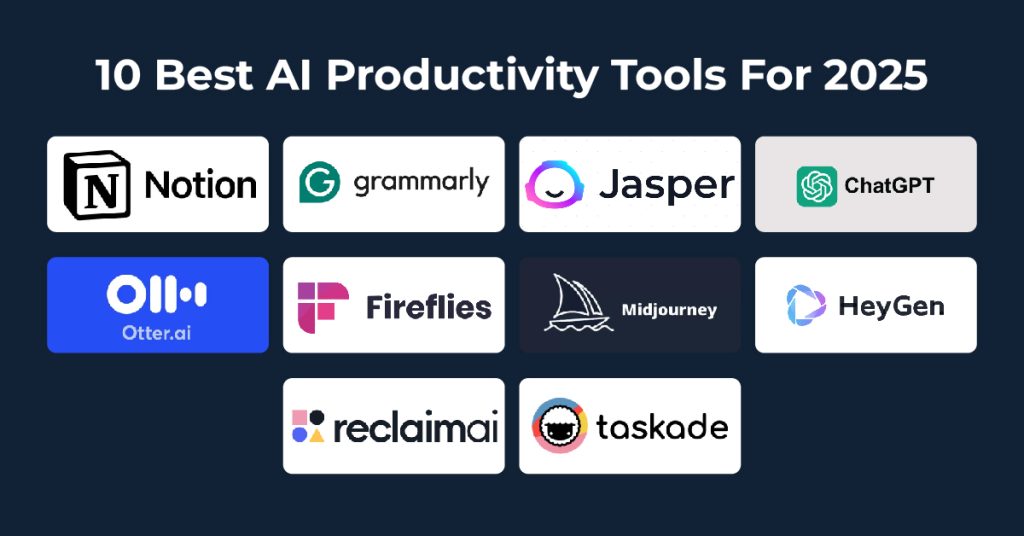
- Otter.ai — A veteran that’s still strong for real-time collaboration, searchable transcripts, and shareable summaries. Great for teams needing live transcription during calls, speaker identification, and integrations. It shines for working professionals like managers or founders who want collaborative editing.
- Fireflies.ai — Excellent for universal compatibility (Zoom, Meet, Teams, Webex) and feeding notes into CRMs or project tools. It builds a searchable meeting library, supports many languages, and automates action items—perfect for global or sales-oriented teams.
- tl;dv — Tops many lists for generous free plans, especially with unlimited video/transcripts on major platforms. It excels at highlights, video summaries, and structured recaps, making it a favorite for those testing tools without commitment.
Other strong contenders include Fathom (fast recaps and free generosity), Notta (multilingual focus), and emerging bot-free options like Bluedot or Meetily for privacy-first workflows.
Top Picks for Study & Learning
These emphasize processing lectures, PDFs, research materials, and generating study aids like flashcards, quizzes, or summaries.
- Google NotebookLM — Frequently called the best for deep research and document insights. Upload PDFs, lecture recordings, or links to generate grounded summaries, study guides, timelines, FAQs, or even podcast-style audio overviews. It’s free, privacy-oriented, and excels at synthesizing complex academic content without hallucinations.
- Polar Notes AI — Tailored for students, converting lectures (audio/video), slides, or PDFs into structured notes, summaries, study packs, flashcards, and quizzes. It streamlines the full workflow from raw input to exam prep, making it a top all-in-one for college or high school users.
- Notion AI (integrated in Notion) — Best for all-in-one workspaces where you organize class notes, readings, and projects. AI auto-summarizes, rewrites, brainstorms outlines, or connects ideas across pages—ideal for students already using Notion for everything.
- Microsoft OneNote with Copilot — Strong for education and collaboration, especially in Microsoft ecosystems. AI helps organize handwritten/digital notes, summarize sections, generate ideas, or integrate with Teams for lecture capture.
- Audionotes — Great for voice-first students: Record lectures or voice memos, upload files/YouTube links, and get structured notes, multilingual support, and chat-with-notes features for clarification.
Other mentions for study include Mem (AI organization), Evernote (classic with AI enhancements), and specialized tools like NoteGenius AI for visual summaries/mind maps from lectures.
Quick Comparison Table
| Tool | Best For | Key Strengths | Free Tier? | Bot-Free? | Ideal User |
|---|---|---|---|---|---|
| Jamie | Privacy-focused meetings | Bot-free, multilingual, Ask AI | Yes | Yes | Professionals, teams |
| Granola | Live + personal notes | Real-time notepad merge, privacy | Strong | Yes | Individuals, quick meetings |
| Otter.ai | Real-time collaboration | Searchable transcripts, sharing | Yes | No | Teams, managers |
| Fireflies.ai | Integrations & search | CRM feeds, multi-language | Yes | No | Sales/global teams |
| tl;dv | Generous free video notes | Unlimited transcripts, highlights | Excellent | Varies | Budget users, video-heavy |
| NotebookLM | Research & study synthesis | Grounded in uploads, audio guides | Yes | N/A | Students, researchers |
| Polar Notes AI | Full lecture-to-study | Flashcards, quizzes, study packs | Yes | N/A | College/high school students |
| Notion AI | Workspace integration | Auto-summarize, organize projects | Yes (limited) | N/A | Organized students |
In 2026, the landscape favors tools that minimize friction—bot-free where possible, accurate multilingual transcription, and AI that not only transcribes but truly understands context to deliver usable outputs. Start with free tiers of 2–3 that match your primary use case (meetings vs. study), test them in real scenarios, and scale up based on what saves you the most time. The future of note-taking is hands-free, intelligent, and deeply integrated into daily workflows.