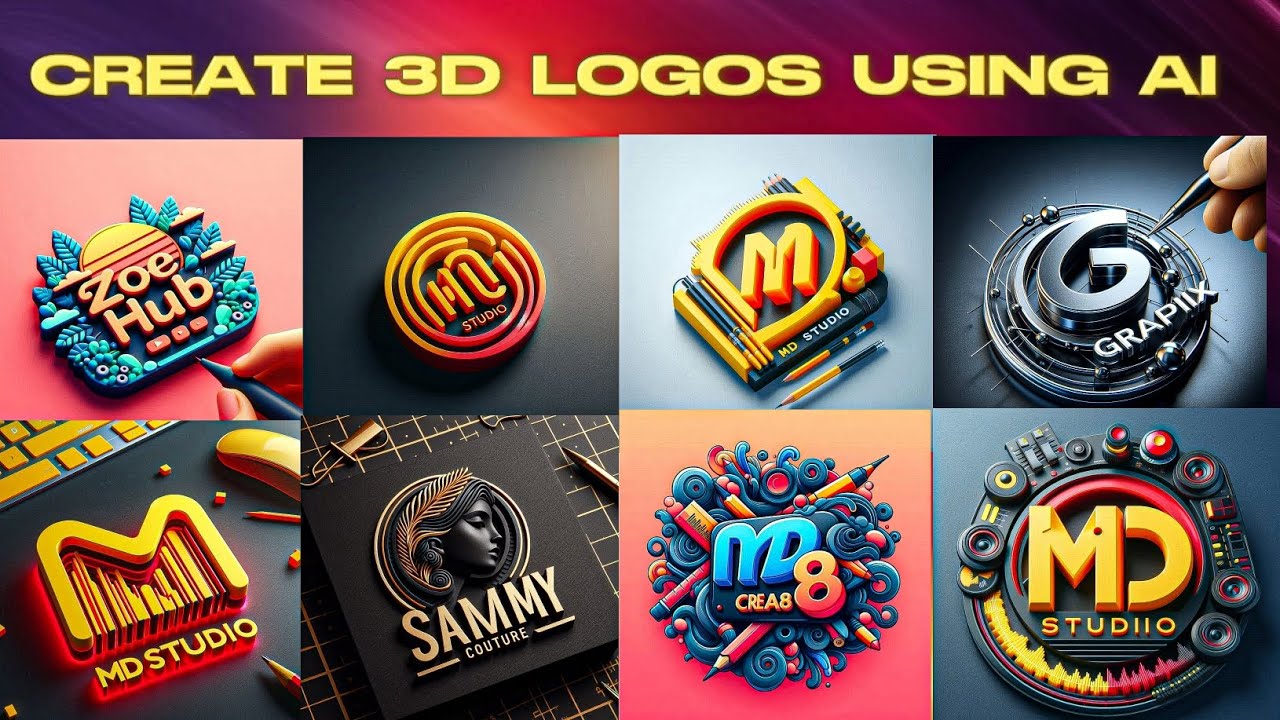
Creating AI-generated logos for free has never been easier or more accessible in March 2026. Thanks to advances in generative AI, you can now produce professional-looking logos in minutes — no design skills, no expensive software, and often no cost at all.
Whether you’re launching a startup, rebranding a side hustle, or just experimenting with personal projects, these tools use text prompts, business names, or styles to generate unique vector or high-res designs. Many offer no-watermark downloads on free tiers, though some limit resolution, file types (e.g., PNG vs. SVG), or commercial rights until you upgrade.
Here are the best free (or freemium) AI logo generators right now, based on ease of use, quality, and true free access.
1. Logo.com (Often Ranked #1 for Truly Free Full Access)
Logo.com stands out as one of the most generous fully free AI logo makers. It generates unlimited designs powered by AI, lets you customize extensively, and allows high-quality downloads without forcing payment for basic use.
How to create a logo:
- Go to logo.com → enter your business name, slogan (optional), and industry/keywords.
- The AI generates dozens of logo variations instantly.
- Customize colors, fonts, icons, and layout using the editor.
- Download high-res files (PNG, SVG, etc.) for free — no watermark on many exports.
Pros: Unlimited generations, strong customization, no hidden paywalls for core downloads, great for startups. Cons: Advanced branding kits (business cards, social assets) require paid upgrades. Best for: Businesses wanting a complete free experience without limits on trying ideas.
2. Canva AI Logo Generator (Powered by Dream Lab)
Canva’s Create an image (Dream Lab) turns text prompts into logos quickly. It’s beginner-friendly with Canva’s massive template ecosystem for further edits.
How to create a logo:
- Sign up for a free Canva account (no credit card needed).
- Go to canva.com/ai-logo-generator or search “Create an image” in Canva.
- Type a detailed prompt like: “Minimalist coffee shop logo with steaming cup and modern sans-serif text in earthy tones.”
- Generate up to 20 free prompts per month → pick favorites → edit with Canva tools (add text, adjust colors).
- Download as PNG, JPG, or transparent PNG for free.
Pros: Extremely intuitive, huge library for post-generation tweaks, integrates with full Canva designs. Cons: Limited to ~20 AI generations/month on free plan; higher-res or unlimited needs Pro (~$13/month). Best for: Beginners or anyone already using Canva.
3. Adobe Express AI Logo Generator
Adobe’s free tool uses generative AI to create logos from simple descriptions, with strong style options.
How to create a logo:
- Visit adobe.com/express/create/ai/logo (free account signup).
- Describe your logo (e.g., “Futuristic tech logo with circuit patterns and blue gradient”).
- Choose styles (minimal, vintage, bold, etc.) → generate options.
- Edit fonts/colors → download free (PNG/JPG, some vector support).
Pros: Clean professional outputs, generous free tier, good for high-quality starters. Cons: Generative credits refresh monthly; advanced features in paid plan (~$10/month). Best for: Users wanting Adobe-quality polish without full Creative Cloud.
4. Design.com (Highly Rated for No-Watermark Free Downloads)
This AI-powered platform offers a truly generous free plan with professional results and multiple file formats.
How to create a logo:
- Head to design.com logo maker.
- Enter business name, industry, preferences.
- AI generates concepts → customize.
- Download free in PNG, JPG, SVG, etc. (no watermark).
Pros: High Trustpilot ratings, vector files free, extras like website builder. Cons: Some premium templates locked. Best for: Small businesses needing print-ready files immediately.
5. Other Strong Free Contenders
- Namecheap Logo Maker — Fully automated AI, completely free downloads, no watermark; great quick results.
- BrandCrowd — Massive template + AI hybrid, free multi-format downloads.
- Kittl AI Logo Generator — Token-based free tier (200 tokens on signup), excellent for stylized/custom looks.
- VisualGPT or Fotor AI Logo — Prompt-based, no login/watermark options for fast PNG exports.
Quick Comparison Table (March 2026)
| Tool | Free Generations | Free Download (No Watermark) | Vector/SVG Free? | Monthly Limits | Standout Feature |
|---|---|---|---|---|---|
| Logo.com | Unlimited | Yes (high-res) | Yes | None | Most generous free tier |
| Canva Dream Lab | Up to 20/month | Yes | Limited | Prompt cap | Best editing ecosystem |
| Adobe Express | Credit-based | Yes | Partial | Credits refresh | Professional polish |
| Design.com | Unlimited | Yes | Yes | None | Print-ready files free |
| Namecheap | Unlimited | Yes | Varies | None | Fully automated & fast |
Tips for Best AI-Generated Logos
- Write detailed prompts — Include style (minimalist, vintage, geometric), colors, mood, and elements (e.g., “sleek mountain icon for outdoor adventure brand in forest green and black”).
- Generate multiple variations — Always review 10+ options before editing.
- Customize heavily — Change fonts/icons to avoid generic looks.
- Check commercial rights — Free tiers often allow personal + basic commercial use; read terms for selling products.
- Download vectors (SVG) when possible — Scalable for print/business cards.
- Refine in free tools — Use Canva, Photopea, or Inkscape (free) for final tweaks.
- Test versatility — View your logo in black/white, small sizes, and on mockups.
In 2026, you don’t need a budget or designer to get a solid logo. Start with Logo.com for maximum freedom or Canva for ease — both deliver impressive results in under 10 minutes.
Which tool will you try first? Share your generated logo ideas!